Learn a by what you enjoy.

Tap a highlighted word: that's how you mark words in LNT.

LNT (Language Nerd Tools) is a free, open-source app for learning through real texts. Import articles and books, see at a glance which words you know, and keep new ones with spaced-repetition review.

For iOS, iPadOS, macOS, Android, Windows, Linux and the web.

LNT reader showing an Alice in Wonderland chapter with words highlighted by learning status and a translation popup

From text to vocabulary

The app follows the way you learn: pick something to read, meet new words, practise them, and watch your vocabulary grow.

1Library

Keep your texts organised by language in collections and folders, with book covers and progress on each one.

  • Import from a web page, plain text or EPUB
  • Grid or list view, search, sorting
  • See how many unknown words a text has before you start
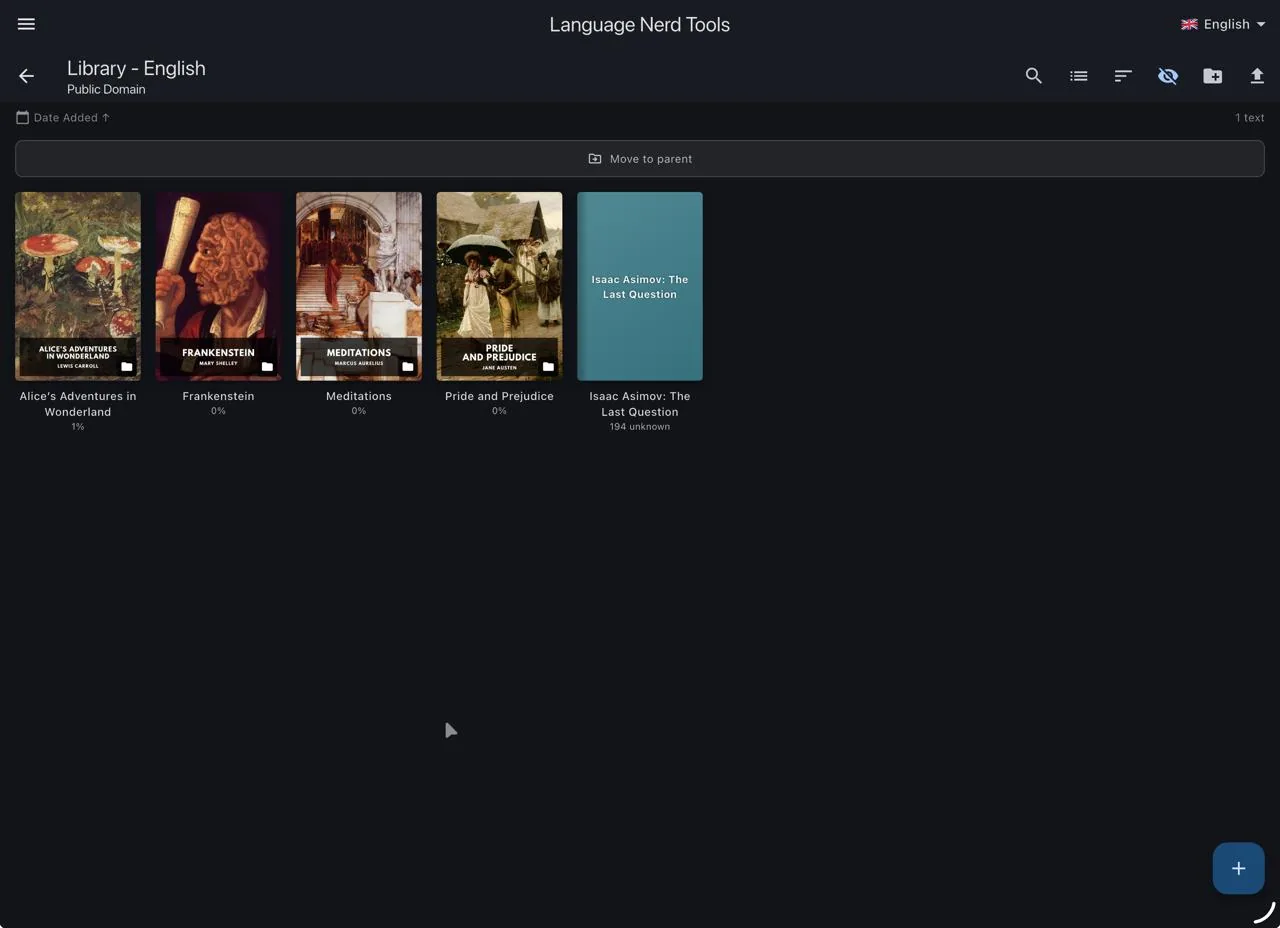
Library screen with book covers for Alice in Wonderland, Frankenstein, Meditations and Pride and Prejudice

2Reader

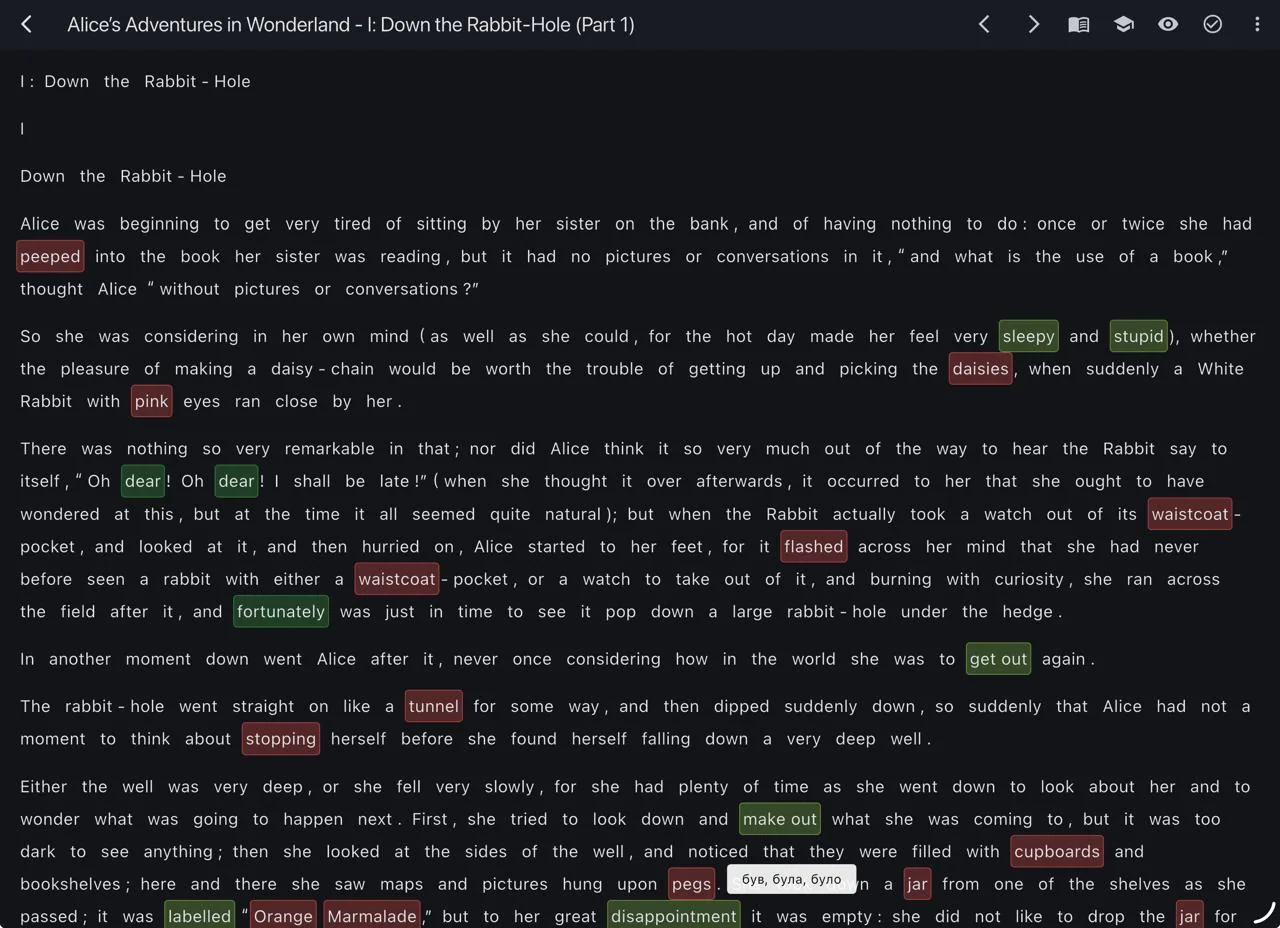
Every word is coloured by how well you know it. Tap a word to translate it, set its status or add it to your vocabulary.

  • Select several words to save phrases like “get out”
  • Translation with DeepL or LibreTranslate
  • Text-to-speech and optional AI explanations
  • Unknown
  • Learning
  • Known
  • Well known
Reader screen with colour-coded words

3Vocabulary

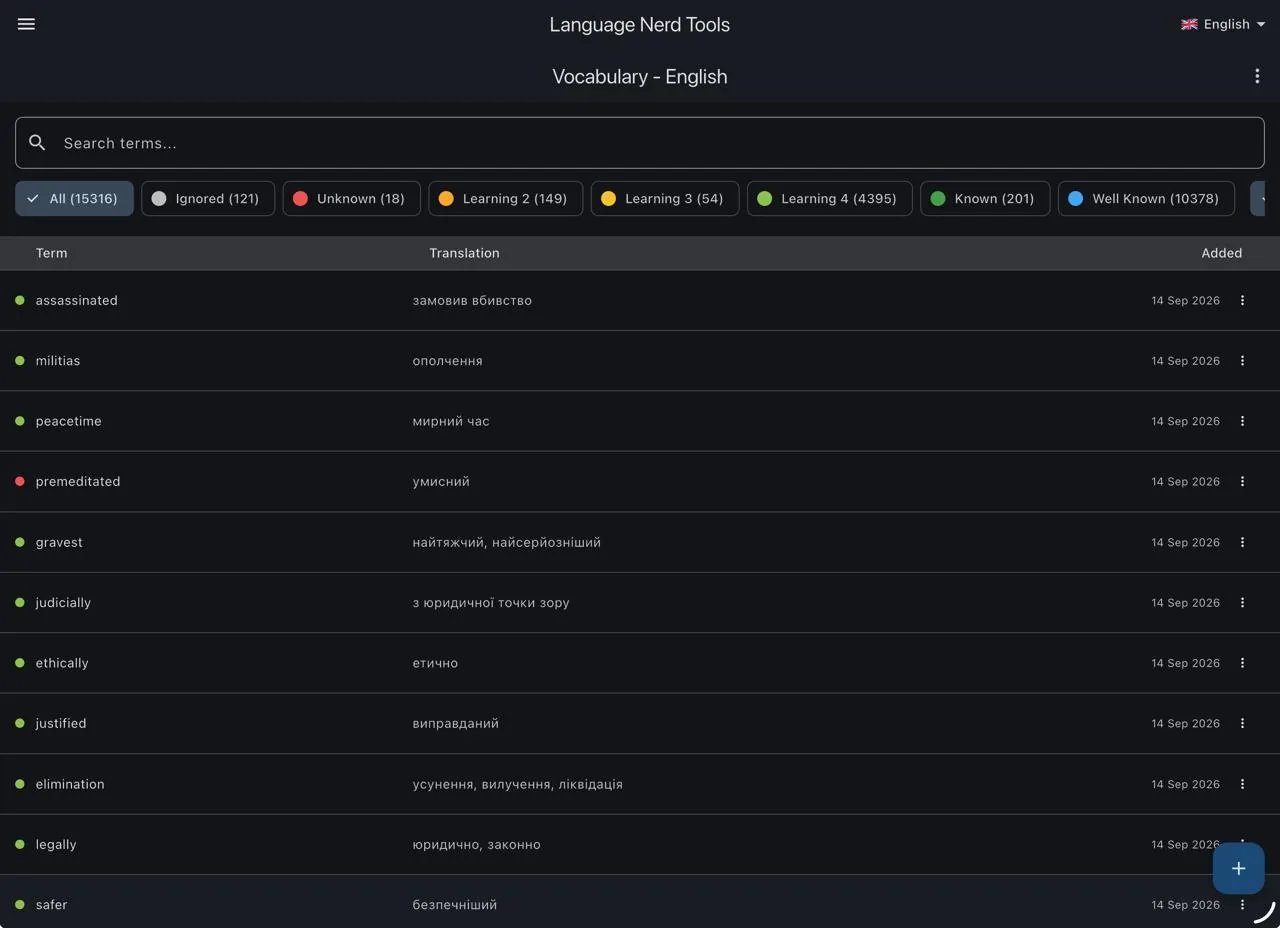
All your words in one place, with translations and the date you added them. Filter by status or search for anything.

  • Edit terms, translations and example sentences
  • Export to CSV or Anki
Vocabulary list of English terms with Ukrainian translations and status filters

4Review

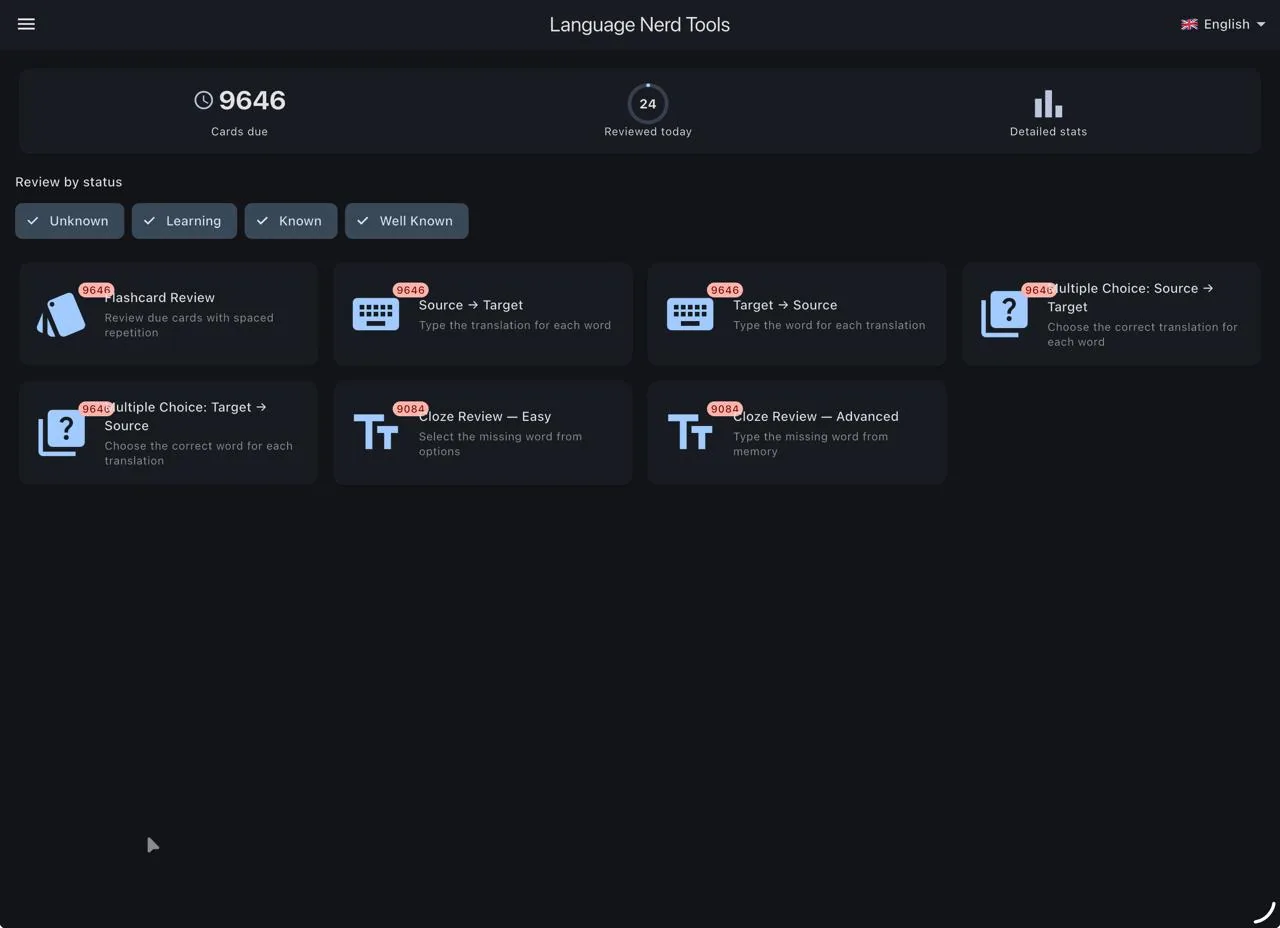
Choose how you want to practise today. Filter by status and pick an exercise; each one shows how many cards are due.

  • Flashcards
  • Typing in both directions
  • Multiple choice in both directions
  • Cloze: pick or type the missing word
  • Handwriting practice for Chinese characters and radicals
Review screen with exercise types and due card counts

5Flashcards

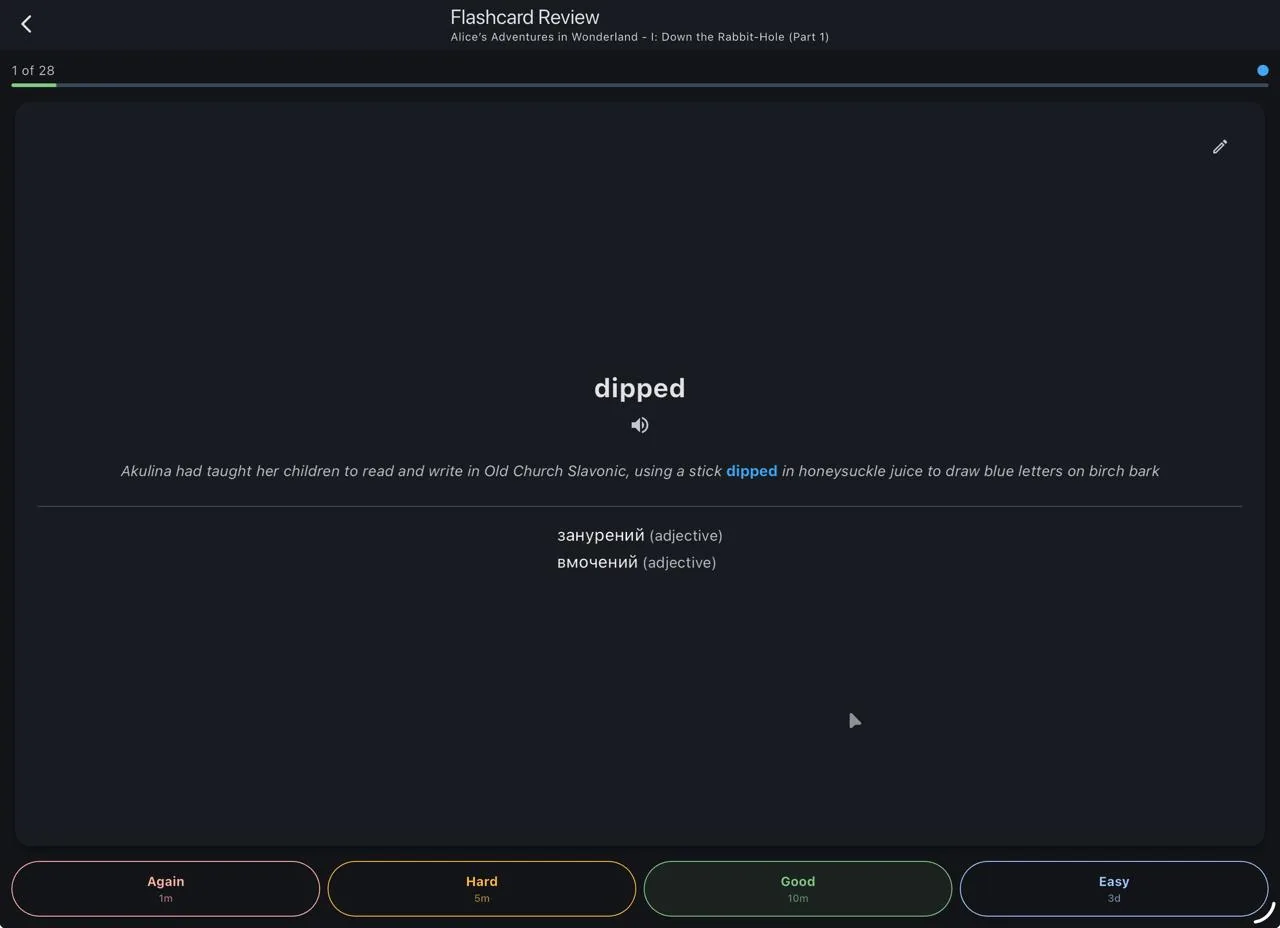
See the word in the sentence where you found it, then rate how well you remembered it. The FSRS algorithm schedules the next review.

  • Again, Hard, Good or Easy, with the next interval on each button
  • Listen to the pronunciation
Flashcard for the word dipped with an example sentence and Ukrainian translations

6Dashboard

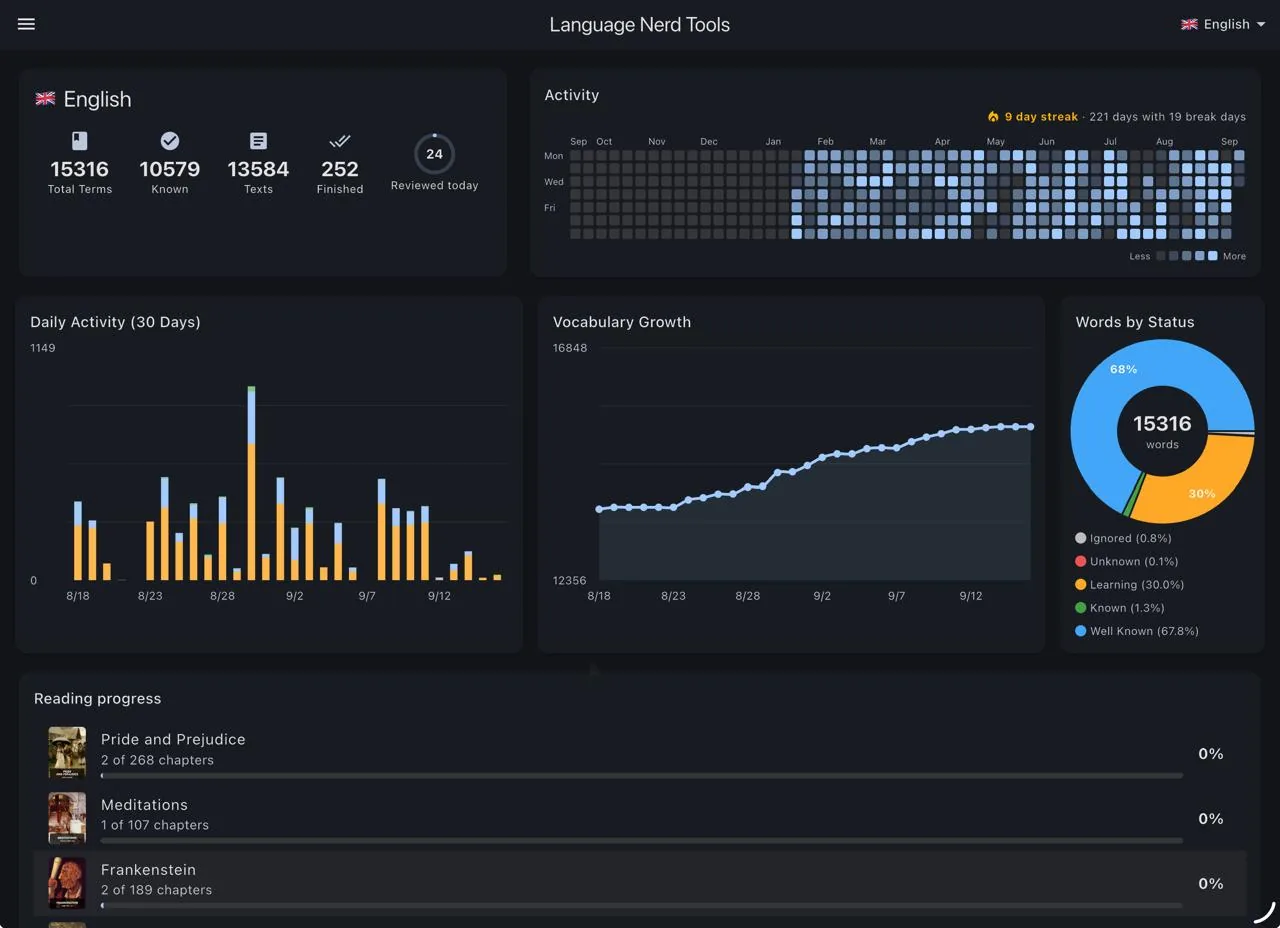
Track your progress: total and known words, your daily streak, activity over the year, and how far you are in each book.

  • Activity heatmap and streaks
  • Vocabulary growth and words by status
  • Detailed statistics screen
Dashboard with vocabulary totals, activity heatmap, charts and reading progress

Your data stays yours

Local first
Everything is stored on your device. No account needed.
Backups
Back up and restore through iCloud or Google Drive.
Open source
The code is on GitHub. Read it, build it, or help improve it.

Start reading

Get the latest build from GitHub. Found a bug or have an idea? Open an issue.